Ce guide n’existe pour l’instant qu’en anglais.
Privacy policy.
What the app keeps on your phone, what leaves it and why, and how to delete all of it. Written to be read, not scrolled past.
Effective . Replaces the policy of .
Who this is from
Anxiety Tracker: Mood Journal is made in Ukraine by LuxGreat Group (Alina Grishina). This policy covers the iPhone, iPad and Apple Watch app, the Android app, and this website. Questions go to info@luxgreat.group.
The short version
- Your records — attacks, moods, worries, test results, notes — are files on your phone. They are not uploaded to us. A copy can sit in your own iCloud Drive.
- You do not need an account. Signing in is optional and does not move your records anywhere.
- Health data is read on the device and stays there.
- The AI assistant sends what you type to an AI provider through our relay. Your records go with it only if you switch that on.
- We use analytics and crash reporting to see which features are used and what breaks, not to read what you wrote.
- We do not sell personal data.
What stays on your phone
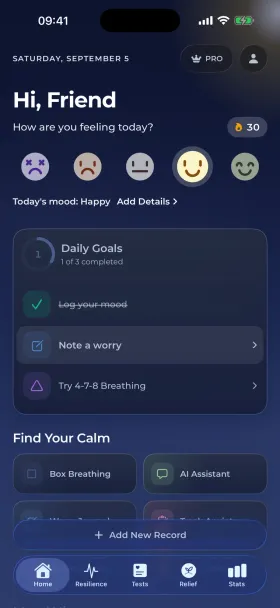
Every panic attack record, mood, worry, test result, journal note, chat history and your profile are stored locally on your device. On iPhone the app can also keep a backup in your own iCloud Drive, so a new phone finds your history. That copy is in your Apple account, protected by Apple, and we cannot read it. Deleting the app deletes the local files; the iCloud copy stays in your iCloud Drive until you delete it there.
The app has no server that holds your records. There is nothing of yours for us to look up, hand over or lose.
Health data
iPhone and Apple Watch. If you allow it, the app reads heart rate variability, resting heart rate and sleep from Apple Health to calculate your daily resilience score and its baselines. The one thing it writes back is a Mindful Minutes session after a breathing exercise. Health data is processed on the device, is never sent to us or to any third party, and is never used for advertising or analytics. You can withdraw access at any time in Settings → Health → Data Access & Devices. The app works fully without it.
Android. The Android app can connect to Health Connect and, with your permission, read heart rate variability (RMSSD), resting heart rate and sleep sessions with their stages. It uses them for the same resilience score and 30-day baselines, keeps up to 90 days locally to draw trends, and never transmits them. Revoke access in your device settings at any time; Health Connect is optional and the app works without it.
The optional account
You can use everything in the app without signing in. If you choose to sign in with Apple or Google (Profile → Sign in), Firebase Authentication, a Google service, creates an account for you. We receive the identifier, the name and the email address that Apple or Google passes on; with Sign in with Apple you can hide your email. The account is used to keep your profile, to link your subscription and notification settings to you, and so that analytics count the same person once. Signing in does not upload your records.
You can delete the account in Profile → Delete Account. You choose whether to keep the records on the device or erase them too. Deletion removes the account from Firebase and revokes the Sign in with Apple token.
The AI assistant
The assistant is a chat with a large language model. What you type is sent through our relay, a Cloudflare Worker, to OpenAI, which generates the reply. The relay adds our credentials and forwards the request; we do not keep a database of your conversations, and the chat history you see is stored on your phone. OpenAI processes API requests under its API data usage policy, which does not use them to train its models.
Your records — recent attacks, moods, test results and your profile — are included in the conversation only when you turn on record sharing. It is off by default, you are asked before it is switched on, and you can turn it off mid-conversation. Without it the assistant only knows what you tell it.
On devices that support Apple Intelligence the app also offers an on-device chat. That one runs entirely on your phone and sends nothing anywhere.
Analytics and crash reports
To know which features are used and what breaks, the app sends usage events to Google Analytics for Firebase and PostHog (EU servers), and crash reports to Firebase Crashlytics. An event says what happened in the app: a screen was opened, a mood was logged and which of the five faces, a breathing exercise was finished, a test was completed, a subscription started. It never contains the text of a note, the details of an attack, your answers to a test, a score, or your health data. Alongside the events go the device model, operating system and app version, language, country, an identifier that is either your account id or a random id for this installation, and, if you filled them in during onboarding, your age group and gender.
Notifications
Reminders are scheduled on the device. To send push notifications the app registers the device with our notification service (running on Cloudflare) using the push token, the app's vendor identifier for your device, platform, app version, language and time zone, and your account id if you are signed in. Turn notifications off in the app's settings or in your device settings; the registration is then no longer used.
Purchases
Payment for Pro is handled by Apple's App Store or Google Play. We never see your card. Superwall, which shows the subscription screens, receives your anonymous or account identifier, subscription events, and the same age group, gender, goals and acquisition source from onboarding, so that the right screen is shown. It does not receive your records.
The Android app
The Android version is supported by advertising and uses the following services, each with its own privacy policy: Google Play Services, AdMob, Google Analytics for Firebase, Firebase Crashlytics, Facebook, Unity, OneSignal, AppLovin, AdColony and Amplitude. Advertising services may use the advertising identifier of your device; you can reset it or opt out of personalised ads in your Android settings. Records and health data are not shared with any of them.
This website
anxiety-journal.com uses Google Analytics to count visits and see which pages are read. It starts in a mode that sets no cookies and sends Google only anonymous, aggregated pings; a cookie is set only after you press Allow in the small notice at the bottom of the page, and you can say no there. Your choice is remembered on your device. IP addresses are truncated, and we use no advertising features. Our hosting provider keeps standard server logs (IP address, time, page requested) for security, for a limited period. The App Store banner on iPhone is shown by Safari and is Apple's.
Children
The app is not directed at children under 13, and we do not knowingly collect personal information from them. If you believe a child has given us personal information, write to us and we will delete it.
Your rights and how to use them
- See or export your records: they are on your phone; Pro adds a PDF report. Nothing is held elsewhere.
- Delete your records: delete them in the app, or delete the app; then remove the backup from iCloud Drive if you made one.
- Delete your account: Profile → Delete Account, on the device, no email needed.
- Everything else — analytics identifiers, the push registration, a question about anything above — email info@luxgreat.group. We answer within 30 days. If you are in the EU, the UK or California you have the rights those laws give you: access, correction, deletion, portability, objection, and the right to complain to your data protection authority.
Retention and security
Records live as long as you keep them. Analytics data is kept by the providers above for their standard periods (Firebase up to 14 months, PostHog as we configure it), crash reports for 90 days. Account data lives until you delete the account. Data in transit is encrypted; on the device it is protected by your passcode and the operating system. No method of storage or transmission is perfectly secure, and we do not claim it is.
Changes
When this policy changes, the new version is published here with a new effective date. Material changes are also announced in the app.